






























DATA POINT CONVERSION / INSTALLATION

New

Meetup

Punggol
Description
Bumped
2 days ago
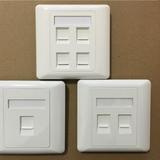
Good Day to everyone. Starhub Fibre Down on 15th April 2020 M1 Fibre Down on 12th May 2020, 4th & 20TH December 2020 , 1st Feb 2022 My Republic Down on 28th May 2020 SINGTEL Down on 8th June 2021 Network Jam Up Since everyone WFH? ( Time to consider getting 2nd ISP just like carrying 2 mobile phone with different telco in case of breakdown as more and more people are working from home. ) Pls visit our Facebook Page at : Wefixinternet Like & Share. Thanks. We wish to take this opportunity to offer some free tips and advice when working from home. For the past couple of years, Some of Singapore's Telco has been promoting the use of Wifi Mesh, whether it is the Red Telco or the Green Telco. The cost of the Mesh may be $5 per month per unit, and it comes with a contract of 2 years. Most of the landed / condos are "ADVISED' to take up 3 units at $15 per month for 2 years. The benefit of the Mesh: - Looks nice, with no extra wiring. - Only 1 network name, when you walk around your house, you don't have to connect to different network name if you have multiple mesh in your house. Sounds Good ... ??? ( But that's the KILLER part as well, please continue to read our case study) Please don't get me wrong, Mesh is a good piece of device. However, what the telco don't tell you is that, every house layout is different. The "Main" Mesh router need to place at a "Strategic place" so that the others sub mesh router can pick up a STRONG signal from the Main unit. Not directly beside the modem as what we seen most telcos did when they installed. Also, Most mesh that the telcos offer, the spec is only like AC 1200-AC 1300 (NOT WIFI 6. SOME criticize me. If you have $$$ to buy Wifi 6 mesh, please go ahead. Latest Update: Some Telco starts to offer wifi 6 mesh, but it comes with price tag of more than $60 per months for the next 24 months 2 years contract. Worth it ? It's up to you to decide then.) Here, we are talking about low end wifi mesh that telco is offering. It is good for light usage. When everyone WFH, and require Video Calling, it simply can't support the heavy usage. Clearly, when the telco ask for your signature over the dotted line, the sales team will never care whether this device works best in your house. Please allow me to explain some issue and if you found it useful, do help to spread this info to your friends / colleague. 1. Mesh may not suitable for cluster house. If you are living in a cluster house , 3-4 storey, it is better to put a router at every floor. 2. Some Mesh "MAY NOT" perform WELL when you are using your company laptop. Even company laptop without VPN connection, the speed will be cut because the network needs to be re-routed to the company cloud server. Hence, it is better to connect via lan cable direct to mesh / router when works on your company laptop. Wireless connection on mesh / router, WFH, depends on the distance from the master mesh/ router, God Bless then. 3. Certain Mesh Can't support IP camera. So please consider before you buy. Check with the manufacturer before purchase And Don't expect a tiny mesh can support 2-3 IP camera which is being switch on 24/7on wifi connection and with a few walls separating them. 4. Normal ROUTER with Antenna is still the "KING" for home internet network. Please do not buy into the " EXTENDER" / Powerline. If Mesh suck, extender or Powerline is even worst. Invest in some Very good router and you save the hassle for many years to come. Hope this info is useful. Please Stay Safe and Be Responsible towards each others during this crisis time. Together, we will overcome this Difficult time. Case Study 1: Mr. Bernard stays in a 2 story landed house. His Fibre Termination point is at the living room. He has 3 mesh router. Main router connected wired to the modem. The second mesh is located 8 meters away in the end of the living room, 3rd router is in the 2nd floor. He is on a 1GBPS fibre plan. His problem, the 2nd floor wifi and speed issue. When we arrived and went to check on the speed test on the 2nd floor, the speed was like 40-50 MBPS, unstable and weak wifi signal. Both sub mesh was connect to the main mesh "wireless", hence, he encounter intermittent and slow speed all the time. We managed to connect the main mesh to the 2nd floor mesh " Wired" , means new trunking and lay new cat 6 LAN cable. when his son does a speed test on his PC on wired, speed reaches up to 800-900 MBPS. Even when I run a speed test on my phone, i can get between 280 -350 MBPS on wifi. Hence, 2nd floor issue solved. Now, when Mr. Bernard was walking up to 2nd floor, and run a speed test on his phone, he only gets like 30-40MBPS. Whats went wrong here ....? The answer is because of the mesh system. As I said, Mr. Bernard has 3 mesh router, and 1 network name. When he walks to 2nd floor, we suspect that his phone is still tagging to the mesh router in the living hall located down stair. Hence, with 1 network name, you wont be able to tell which mesh that you are logging in onto. So, how do we solve this issue ... ? We switch off his phone wifi setting and switch on again. and hope that his phone will pick up the signal from the nearest mesh. We did another speed test and finally he can get more than 200MBPS. Lesson learnt: With multiple mesh in your house, and 1 network name, you really don't know which mesh that your phone is tagging on. While you are walking away, your phone may still logging on to your previous location mesh. Hence, off and on again your phone wifi system will helps you. Leceh ...? Trouble Some ...? Annoying ...? Yes, After spending so much $$$ on networking. That's why we Really don't recommend to use mesh router. Normal router is still the best. Case Study 2, BTO Flat . 'Most BTO flat nowadays follow the condo layout. A long and narrow corridor before reaching the master bedroom. Almost 95% when we went into this kind of layout, we know immediately the master bedroom is facing the poor wifi signal issue. Conversion of telephone ports can only be done if your fibre termination box is in the db box. If your FTP is located somewhere else in the living room or inside another bedroom, we don't think conversion can be done. Case Study 3: We went to Mr. X house, a luxury double storey condominium. His problem, slow internet speed for his devices. Upon checking, a 3 generations family members and "23" devices ( laptops, Apple TV, Smartphones, PC etc) are logging on to the poor tiny Google Wifi. There is no way that poor little Google Wifi can support up to 23 devices at the same time. Not to mentioned that he has "7" Google wifi mesh in his house that he bought from the green telco and all under 1 network name. How can you expect a Cicakman to perform Superman job ...? A Chinese Saying: You get what you pay for, 一分钱, 一分货。 Don't expect this tiny Google wifi to perform the job like the Asus Spider router (AX11000). Our advice for him, putting normal router will perform better compare to the Google Wifi. We Are A Team specialize with works on Data Point Installation / Conversion. Whether it is for Singtel / Starhub/ MyRepublic/ View Quest Internet,Router / Wifi coverage issue, Mio, Starhub IPTV Extra Set Top box data point installation, we are able to help you. FYI, You are able to install up to 8 IPTV for SH. As Our competitor knows only phone point conversion, we went into the roof to install the data point for you ( For landed house that has Roof and Manhole Structure) . We are able to do any type of data point installation. Info on Telephone point conversion: Any "HDB" build after 2014 " SHOULD' BE ABLE" to convert the telephone point to data point. For “Condo” that build after 2010, It SHOULD BE ABLE “to convert to data point. Conversion per one end: $25. " 1 set (Both End) " = $50 (If able to convert) • Please Note that, if trunking / casing is required, it will count as installation. * Not all CAT 5 telephone point can convert . Only copper wire in the Cat 6 cable able to bring your speed to 900MBPS ++ , if your Cat 5 is aluminium, The maximum speed that you are getting is = / Less than 100MBPS Data point installation: For HDB, We charge $120 per point onwards. For Condo & Landed, we are willing to meet up for No obligation quote as long as you are ok with "Trunking" Relocation: FYI, SH charge you $181.90 ($50.00 for transport & $ 120 for 1 data point installation before GST. Tips for all owners: Keep your Fibre point and Modem area ventilated, DRY and COOL. Most Landed houses that we visited before never paid any attention to this issue. And the price they paid, it's useless after 4-5 years. "Place your TV and the Router too near to each others, Interference will cause your wifi coverage drop. " Tips: Home owner of Jumbo / Executive / L shape Condo,Landed , you MAY only need 2 router for your whole house wifi coverage. The location of your router is very important. Do contact us and We look forward to meet you soon. Tags: Data Point, IPTV, Relocation, House moving, Fibre point, Internet, Router, Wifi, conversion, Dlink, Linksys, Asus, Open Net, Netlink Trust, telephone point, Set top box, Starhub, Singtel, MyRepublic, View Quest, TV box, data point conversion, mesh, data point installation
Service area(s)

Meet the seller
Wesley

Profile details
5.0
341 reviews
10 years
on Carousell
5.0

Plenty to say about Wesley and not enough space. Honest-NO INTENTION TO CHEAT OR LIE. His task, to rewire my HDB, Cat 4 to 6. He says I am on CAT 6. He is worth a 1000-star rating Have a plan and he will PROFESSIONALLY advise you. Goal is to get high speed internet and save money. He explains, makes you participate to learn. Made my PC run from 87Mbps to 5,7Gbps. Highly skilled and smart. USE HIM

Data Point Conversion / Installation
S$70

Excellent service! Wesley has in-depth knowledge and was very accommodating throughout. Not only did he handle the internet point conversion smoothly, he also gave helpful advice on the setup. Highly recommended.”

Data Points Conversion / Installation
S$70

Installer was very kind and explained and guide us throughout the installation process 💪🏻 definitely worth 5 stars!

CCTV & Security Camera installation
S$0

Returns and refunds

Safety policy
What others also search for
Similar listings














painting_renovation_service.
10 days ago

titanairconservice
23 hours ago

mayaboti_painting_pte.ltd
16 days ago




dreampainting_and_renoservices
8 days ago


painting_renovation_service
8 days ago

renovation_specialist_sg
3 days ago
painting_renovation_service
2 days ago


swiftrelocation
17 days ago






rkdesign_engineering_pte_ltd
12 days ago