

































3 'Nfc reader' For Sale in Singapore
Save this search


zavawave
2 years ago

Description
How to use the card reader? (1) Connect the device to your computer with the USB cable. (2) You can find and open the software on your computer. Read and write 13.56MHz IC, IC half encryption card, IC full encryption card: 1. Place the card on the card reader and press “Card number” or “Start decoding” on the software. 2. The software will scan and display the card number 3. Place a writable UID (13.56MHz writable chip) on the card reader and press “Write Card” on the software.

tokoasia
5 years ago
Buyer Protection
Description
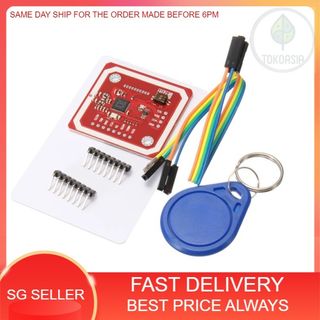
for more variations/product , qty , and price : [External link] please check our [External platform] shop for more products : [External link] Feature: Small dimension and easy to embed into your project Support I2C, SPI and HSU (High Speed UART), easy to change between those modes Support RFID reading and writing, P2P communication with peers, NFC with Android phone Up to 5cm~7cm reading distance On-board level shifter, Standard 5V TTL for I2C and UART, 3.3V TT